Free Calculators Hub
Percentage Change Calculator
Applies or reverses a percent increase or decrease on a starting value. For measuring change between two known values, use the percentage-increase calculator.
Limitation: This page applies or reverses a percent change.
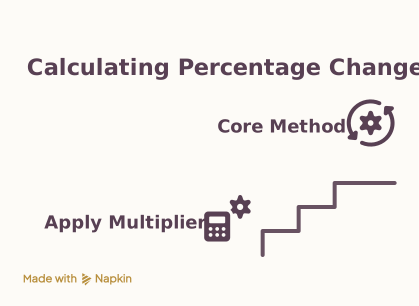
How to Apply a Percentage Change
Choose apply or find-original, pick increase or decrease, enter the known value and percent, then read the paired original/new values and absolute change.
Select apply (forward) or find original (reverse).
Not the same as measuring change
If you already know both the old and new numbers and want “what percent did it move?”, open the Percentage Increase Calculator.
Apply vs Measure
Apply multiplies by (1 ± percent/100). Find-original divides by that factor. A 100% decrease cannot be reversed because every original maps to zero.
Worked Change Examples
Increase 80 by 25%
Inputs
Result
80 × 1.25 = 100; absolute change +20.
Decrease 100 by 20%
Inputs
Result
100 × 0.8 = 80.
Recover original after +25%
Inputs
Result
100 ÷ 1.25 = 80.
Cross-link
Need signed percent from old→new? Use Percentage Increase. Need static percent-of? Use Percentage Calculator.
Frequently Asked Questions
Still have questions about this calculation?
Try the CalculatorPercentage Change Formulas
Forward and reverse use the same multiplicative factor.
Formula
Apply increase
new = original × (1 + percent ÷ 100)
Apply decrease
new = original × (1 − percent ÷ 100)
Find original
original = new ÷ (1 ± percent ÷ 100)
Scientific Background
Multiplicative percent changes are not additive. Two successive 10% increases are a 21% net increase, not 20%.
Sources & review
Percentage Change Calculator documents the references behind its formulas and assumptions. Always treat results as educational estimates, not personalized professional advice.
Last reviewed
July 22, 2026
Free Calculator Hub methodology
Free Calculator Hub
/methodology
See our methodology and corrections policy.