Free Calculators Hub
Project Your Own Exercise Progression Inputs
Builds an arithmetic weekly schedule from the user's load, repetitions, increment, interval, frequency, and duration without recommending a progression rate.
Limitation: This tool reproduces your assumptions; it does not recommend a load, repetition target, increment, frequency, progression rate, or exercise.
How to Build the Projection
Enter values you have already chosen. The calculator performs scheduling arithmetic only.
Select the unit used for both starting load and increment.
Zero is a valid increment
Enter zero to create a constant-load schedule while still calculating sessions and planned repetitions.
A Rule-Based Weekly Projection
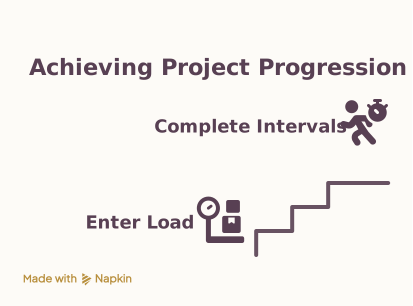
Week one starts at the entered load. An increment is added only after each complete interval. Repetitions per session and sessions per week remain fixed because the calculator does not invent changes the user did not request.
Progression Schedule Examples
Increment every two weeks
User-defined rule
Projected weekly rows
The increment count is floor((week − 1) ÷ 2).
Constant-load projection
User-defined rule
Projected weekly rows
A zero increment leaves load unchanged while schedule totals still use frequency and duration.
A projection is not validation
A neat schedule can still be unsuitable; the calculator evaluates only arithmetic consistency.
Frequently Asked Questions
Still have questions about this calculation?
Try the CalculatorUser-Defined Progression Arithmetic
All changes come directly from the entered increment and interval.
Formula
Completed intervals
intervals = floor((week − 1) / incrementEveryWeeks)
Scheduled load
load = startingLoad + intervals × loadIncrement
Weekly planned repetitions
weekly reps = repsPerSession × sessionsPerWeek
Scientific Background
Progressive resistance exercise is discussed in professional and research literature, but progression decisions depend on the person, exercise, goals, technique, and context. This implementation deliberately does not convert those discussions into a universal rate or injury-prevention claim.
Sources & review
Exercise Progression Calculator documents the references behind its formulas and assumptions. Always treat results as educational estimates, not personalized professional advice.
Last reviewed
July 21, 2026
NIH health reference
National Institutes of Health (NIH)
https://pubmed.ncbi.nlm.nih.gov/19204579/
See our methodology and corrections policy.